
[ad#ad-alex]
E’ disponibile in 18 lingue differenti (tra cui anche l’Italiano), e sono presenti al momento 3 plugin (FTP and FTPS, Windows Networking – LAN, WebDav). A seguire alcune delle caratteristiche principali:
• 2 panes – of course
– 1 pane at a time: you can switch between them by using the big button with 3 arrows or get them in sync by using the button with 2 = signs
– 2 panes at the same time: there is also an alternative 2-pane layout that shows 2 panes at the same time, just like the desktop version – handy for large screens, especially on tablets
– settings for separate portrait/landscape configurations – for example, show 1 pane at a time for portrait and 2 panes for landscape. Brilliant• a home screen with shortcuts to the most commonly used directories – SD card, photos, downloads, file system root; there are also shortcuts to custom directory bookmarks and the app manager
• copy/move/rename/delete/new folder (of course)
• sorting of files and dirs
• apk handling
• zip/unzip with encryption support; unrar with multi-volume support
• multiple file/dir selection (via tapping on icons or advanced)
• history
• search
• built-in text editor
• file/dir property modification including recursion
• configurable button bar, just like in the desktop version. The buttons can:change directory– launch app
– view file app
– send to app
– run shell command
– run internal command• built-in app manager
• tablet-optimized
• custom file associations
• ignore list
• hide/show hidden files
• custom font, style, size, and color support
• image thumbnails
• option to go full-screen (no notification bar)
• multi-lingual (English, Chinese, Czech, Danish, Dutch, French, German, Hellenic, Hungarian, Italian, Polish, Romanian, Russian, Slovak, Slovenian, Spanish, Swedish, Ukrainian)
• plugin support – there are currently 3 plugins available (FTP and FTPS, Windows Networking – LAN, and WebDav)
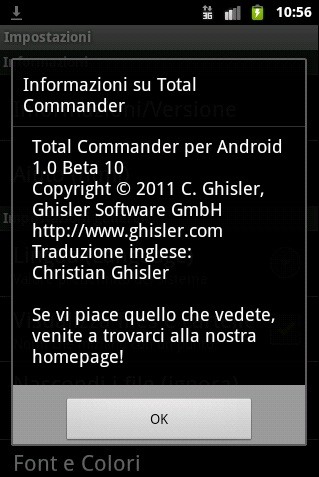
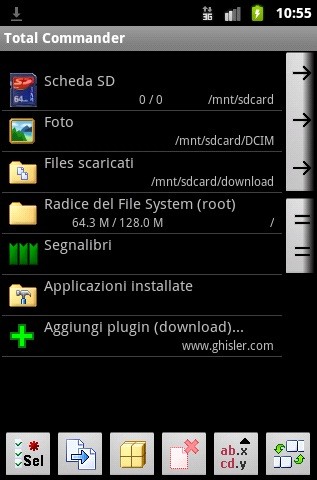
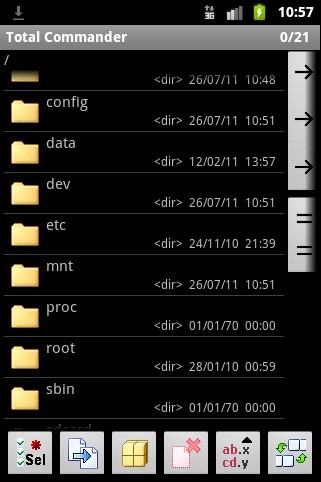
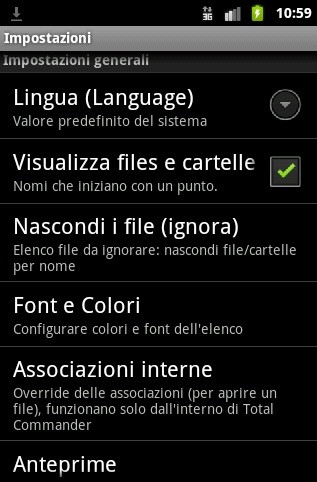
Se volete dargli un’occhiata, potete scaricare la versione 1.0 beta 10 direttamente a questo indirizzo. Informazioni sul changelog, qui; per tenervi aggiornati sullo sviluppo seguite invece il sito ufficiale.
Fantastico!! Lo usavo già con grande soddisfazione su WM6 (lacrimuccia)!! Non vedo l’ora di provarlo su Android!
Ottima app…da provare!
non ho capito cosa cambia da Astro..
E’ semplicemente un alternativa, che sulla carta dovrebbe essere altrettanto funzionale e professionale
Ha una grafica più brutta. XD
Beh…Astro è essenzialmente un file manager…Total Commander sfrutta apieno la sua grafica per la gestione ftp.
Per quello è una bomba
non ho capito cosa cambia da Astro..
Lo uso da piu’ di vent’anni ! (si, avete letto bene, 20 anni, forse 22)
Finalmente su Android !!!!
Facciamo che lo usi da 17 anni, quasi 18 :-)
( http://www.ghisler.ch/wiki/index.php/History_of_Total_Commander )
Forse prima usavi norton commander, come me, dal ’84/’85 :-)
Lo uso su windows ma su android preferisco root explorer…
fantastica, appena installata sul tf101
mi permette di fare la ricerca e poi selezionare tutti i file trovati nella ricerca
altre file manager non me lo lasciavano fare
Ho ancora il floppy (720 kb) da qualche parte! Mitico programma.
Ho ancora il floppy (720 kb) da qualche parte! Mitico programma.
il box seguici è davvero fastidioso… poi anche cliccando non scompare… ogni articolo che leggerò su androidiani da ora in avanti lascerò questo commento… se da fastidio pure a voi fate lo stesso;)
Non l’ho ancora provato Su Android, ma Su Windows era imbattibile.