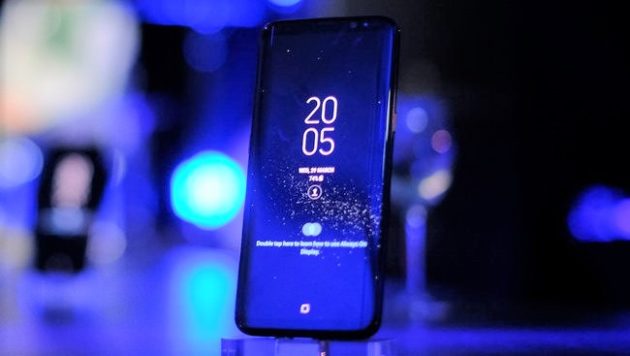
[ad#ad-proietti]
Infatti, nonostante un lungo periodo di beta testing, il colosso sudcoreano non era stato in grado di rilasciare un aggiornamento esente da bug, visti i diversi dispositivi andati incontro a improvvisi riavvii dopo la ricezione di Android 8.
Tuttavia la stessa Samsung ha annunciato che in queste ore l’aggiornamento riprenderà per i Galaxy S8 con processore Exynos.
Nella speranza che stavolta vada tutto per il meglio vi lasciamo con il nutrito changelog relativo all’update in questione.
- Biometrics
To improve your security, features that use biometrics (face, fingerprints, and irises) are only available when you use a secure screen lock type (pattern, PIN, or password). When you switch to a non-secure screen lock type (Swipe or None), biometric authentication is suspended for unlocking and for verification in apps like Samsung Pay and Samsung Pass. If you’re using biometrics now without a secure screen lock type, you’ll be able to continue after the upgrade, but changing to a secure screen lock type is recommended.Quick Panel
– Manage notifications for each app with notification categories (supported apps only).
– Icons will be shown at the bottom of the notification panel for notifications that aren’t currently visible.Home Screen
– Touch and hold an app to display shortcuts to common or recommended tasks within the app (supported apps only).
– Notification badges on app icons are linked with the notification panel. Clear a notification in one location, and it will also be cleared in the other location.Samsung Keyboard
– The toolbar gives quick access to useful functions.
– The GIF keyboard lets you send GIFs.
– More high-contrast keyboards are available.System Performance
– Background services are limited to improve performance and battery life.
– Currently running apps will always be shown in the notification panel.Edge screen
– Improved font size, color, and other settings for better Edge panel visibility.
– Touch and hold the Edge panel handle to change its position.
– Added 3 more Edge lighting effects and color customization for apps.Lock Screen and Always On Display
– New clock styles for the Lock screen and Always On Display.
– Adjust the transparency of notifications to get the look you want.Smart View
– Let your phone’s screen go dark when mirroring to another screen.Samsung account
– Control your account settings and profile information for multiple apps.
– Tap your profile picture on the main Settings page to access your profile information and account settings.Samsung Cloud
– View and manage photos and notes stored only in Samsung Cloud.
– Store any type of file in Samsung Cloud Drive.
– Select specific items to delete or restore from your backups.
– See how big each backup is and how many items it contains.Samsung Dual Messenger
– Install a second copy of a messaging app so you can use two accounts at the same time. For apps that verify accounts using phone numbers, you’ll need a different phone number for each account.
– Touch and hold a messaging app on the Home or Apps screen to install the second account or go to Settings – Advanced features – Dual Messenger.Find My Mobile
– Back up Secure Folder to Samsung Cloud remotely when your phone is lost.
– Lock Samsung Pass using Find My Mobile.Samsung DeX
– See more apps at once by changing the app list view to full-screen.
– Use Game launcher in Samsung DeX for a full-screen gaming experience.
– Added support for 2 additional Samsung covers (LED View Cover, Clear View Standing Cover).Other improvements
– Bluetooth now supports high-quality audio codecs, including AAC and Sony LDAC.
– Video player includes auto repeat and 2x speed option.
– Voice Recorder provides smart tips to conveniently block calls while recording.
– Email lets you flag Microsoft Exchange ActiveSync emails.
– Samsung Health’s new sticky notification lets you see your step count at a glance.
– Clock now includes a Landscape mode and timer sound options.
– The digital clock widget goes directly to the Clock app when you tap it.
– Samsung Pass added the ability to manage usernames and passwords in third-party apps.
Perfetto, giusto in tempo per accompagnare l’esordio di S9…
Ormai sta diventando una buffonata
non c’è bisogno di aggiornare obbligatoriamente,ma siccome è gratis…….
io ho ancora la 7 e me la tengo!
Ricevuto l’aggiornamento….. per il momento funziona molto bene
Ma ricominciate con i telefoni a tastiera almeno funzionavano bene
Io sto avendo problemi con la batteria e applicazioni che si aprono da sole in seguito all’aggiornamento, qualcuno ha avuto lo stesso problema è sa come risolvere?