[ad#ad-alex]
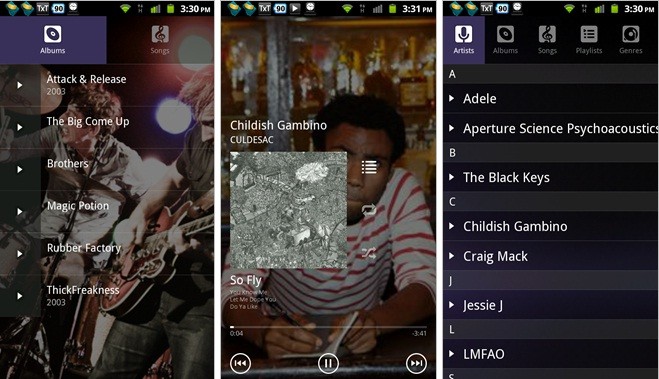
In ogni modo Federico rassicura che sarà possibile creare per il suo player delle skin personalizzate, e che non tarderà ad arrivarne una simil-WP7. Questo è il changelog rilasciato per la Beta 1:
Beta 1
Note: The user interface is now driven by the new skinning engine. I’ll be releasing all the details on how to make skins as soon as I’m finished writing them (will take some time). I think this app has the most powerful skinning engine on the market right now.
The official/default skin drops the WP7 look, but the skinning engine is flexible enough that it can be made to look exactly like the previous Alpha versions through skins. If you want the WP7 look back, you’ll have to wait until someone releases a skin for it (which I’m sure won’t take long once the details on how to make skins are released). The Beta versions have a different package name than the Alphas, so they can coexist in your device (you can install the Beta without overwriting the Alpha).
Also, I’ve started a Crowdin.net (collaborative transaltion) project for UberMusic. So if you’d like to see UberMusic translated in your language, feel free to head over to the project page and submit translations/corrections or vote for the best translations.
- Changed the disable lockscreen option so that it only disables the lockscreen when something is playing. It should also work even if you leave the Now Playing screen, but it’s not failproof.
- Changed the layout of the Now Playing screen on LDPI devices so that scrolling isn’t necessary.
- Improved the track seeking functionality of the progress indicator. You can now click anywhere on the indicator to seek to that position.
Per scaricare Uber Music potete collegarvi a questo indirizzo. Consigliamo di dargli un’occhiata, anche essendo una versione beta è molto interessante, e fa bene il suo dovere; questo è il sito ufficiale.
OT niubbo:
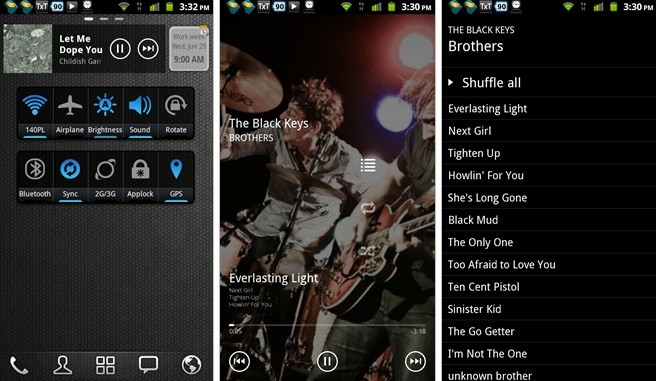
come si chiama il widget che hai soto il widget di ubermusic?
Ti rispondo io…è il widget di un applicazione che si chiama zdbox. ;)
grazie :)
scusate l’ignoranza…ma una volta scaricato dal sito poi come lo installo nel cellulare?
basta che usi un file browser (astro ad esempio) e apri il file .apk che hai scaricato(dovrebbe essere finito nella cartella Download della SDCard).
Poi ci chiediamo perché la gente si compra l’iphone (e ovviamente non lo jailbrecka nemmeno altrimenti avrebbe dimestichezza con file manager e app scaricate non dall’appstore)… se ci sono ancora androidiani che chiedono queste banalità
Quanto è bello il tema del launcher! Lo voglio, che tema è? E’ per LauncherPro?
è go launcher con il tema di default :)
Grazie mille!
Veramente fatto bene, misà che diventerà il mio player di default con la Cyano! :)